




Product Information
What is Pingplotter?
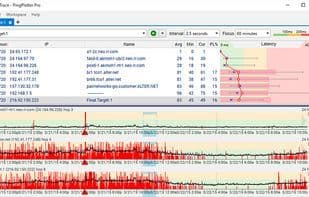
PingPlotter is a network troubleshooting and diagnostic tool. It combines traceroute, ping, and whois to quickly gather data—then enables you to continue collecting information over time, providing the insights needed to identify issues (both short-term and long-term trends).
How to use Pingplotter?
PingPlotter is a network troubleshooting and diagnostics tool that combines traceroute, ping, and whois to collect and visualize network data, helping users identify and resolve latency, packet loss, and jitter issues.
Core Functions of Pingplotter
Route Tracking
Visual charts
Network Tools
Usage Scenarios of Pingplotter
- Troubleshoot infinite network connection issues on computers.
- Monitor and troubleshoot remote connections from a centralized online dashboard.
- For industries like contact centers, legal IT, and credit unions.
- Resolve VoIP-related network performance issues.
- Provide internet troubleshooting for business and home networks.
- Monitor network latency, packet loss, and jitter, and identify root causes.
Common Questions about Pingplotter
What does PingPlotter do?
How do I use PingPlotter?
What are the core features of PingPlotter?
What are the application scenarios of PingPlotter?



















