




Product Information
What is Proc net monitor?
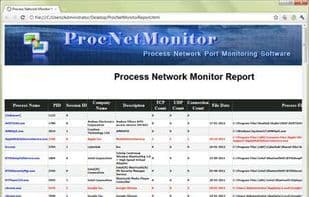
Proc Net Monitor is free software designed to monitor and analyze the network activity of all running processes on your system.
It displays all open network ports (TCP/UDP) and active network connections for each process.
It also features a unique "Port Finder" function, making it easy to search for specific network ports used by any running process. For example, you can search for port 80 to find all processes currently accessing web (HTTP) services. You can right-click any process to perform additional actions, such as terminating it, viewing properties, running scans, and more.
If you detect any suspicious processes, you can quickly verify them using the "Online Scan" option. This allows you to check the malicious nature of any process through integrated services like VirusTotal, ProcessLibrary, or Google.
All these features combined make it one of the most effective tools for combating trojans and spyware in your system.
It is fully portable software and also comes with an installer. It supports all Windows platforms from XP to Windows 8.
How to use Proc net monitor?
Proc Net Monitor is a free software tool designed to monitor and analyze the network activity of all running processes on a system, assisting users in identifying and combating trojans and spyware.
Core Functions of Proc net monitor
Portable
Network Scanner
Network Tools
Network discovery
Usage Scenarios of Proc net monitor
- Monitor and analyze network activity of all running processes on the system
- View open network ports (TCP/UDP) and active network connections for each process
- Use the 'Port Finder' feature to search for processes using specific network ports, e.g., find processes using port 80
- Right-click suspicious processes for actions like termination, property viewing, or scanning
- Verify the malicious nature of suspicious processes via online scanning options (e.g., VirusTotal, ProcessLibrary, Google)
- Effectively combat trojans and spyware in the system
Common Questions about Proc net monitor
What does Proc Net Monitor do?
How do I use Proc Net Monitor?
What are the core features of Proc Net Monitor?
What are the use cases for Proc Net Monitor?



















