




Product Information
What is Quick assist?
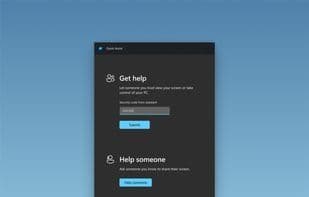
Help family and friends with their computers or get help using Quick Assist. Use remote connections to view screens or request full control during a session, annotate, use a laser pointer, and more to troubleshoot computer issues.
How to use Quick assist?
Quick Assist is a Windows remote desktop tool for helping others via screen sharing, control, annotations, and laser pointer.
Core Functions of Quick assist
Lightweight
Ad-Free
Multi-Monitor Support
Usage Scenarios of Quick assist
- Help friends and family remotely troubleshoot computer issues.
- Remotely view someone else's computer screen.
- Remotely take full control of another's computer for operations.
- Annotate the screen during remote assistance.
- Use the laser pointer feature to guide operations.
- Receive technical support for computers from others.
Common Questions about Quick assist
What does Quick assist do?
How do I use Quick assist?
What are the core features of Quick assist?
What are the application scenarios for Quick assist?



















