




Product Information
What is Remote desktop connection manager?
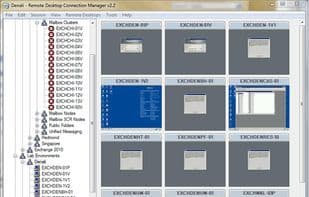
RDCMan manages multiple remote desktop connections. It is particularly useful for administering server labs or large server farms where regular access to each machine is required, such as automated check-in systems and data centers. It resembles the built-in MMC Remote Desktops snap-in but offers greater flexibility.
How to use Remote desktop connection manager?
Remote Desktop Connection Manager is a tool for managing multiple remote desktop connections, helping users conveniently switch between sessions in one app, ideal for frequent access to numerous servers.
Core Functions of Remote desktop connection manager
Lightweight
No Registration Required
Ad-Free
Portable
RDP
Usage Scenarios of Remote desktop connection manager
- Manage server labs
- Manage large server clusters
- Used for automated check-in systems
- For data centers
- Manage multiple RDP connections in a single application
Common Questions about Remote desktop connection manager
What does Remote Desktop Connection Manager do?
How do I use Remote Desktop Connection Manager?
What are the core features of Remote Desktop Connection Manager?
What are the application scenarios for Remote Desktop Connection Manager?



















