




Product Information
What is Remotepc?
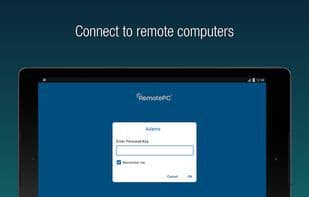
RemotePC is a software application that enables remote access to PC and Mac computers from any location using iOS and Android devices. The software supports real-time connections with multiple computers, allowing users to work on documents, emails, and other applications. It also facilitates team collaboration by granting access to other computers for handling presentations, documents, or viewing files.
The software features file transfers between devices, configurable inactivity timeouts, locking remote computers, and toggling between connection quality and speed. Users can also adjust screen resolution, access logged-off computers, print using local printers, exchange messages, and enable "Trusted Devices" for security. Privacy is enhanced by blanking the host screen during sessions. For business accounts, a computer group view is available. Additionally, it supports restarting remote Windows computers in safe mode and includes a whiteboard feature for collaborative work.
How to use Remotepc?
RemotePC is a software app allowing users to remotely access PCs and Macs from iOS and Android devices, supporting real-time connections to multiple computers for remote document handling, email, and app use, facilitating team collaboration.
Core Functions of Remotepc
Support multiple monitors, remote support
Usage Scenarios of Remotepc
- Remotely access PC or Mac computers from mobile devices
- Handle documents, emails, and run other applications remotely
- Team members collaborate on presentations and documents
- Remotely view and transfer files
- Secure work-from-home setup
- Provide remote desktop and mobile support to customers
Common Questions about Remotepc
What does RemotePC do?
How do I use RemotePC?
What are the core features of RemotePC?
What are the application scenarios of RemotePC?



















