



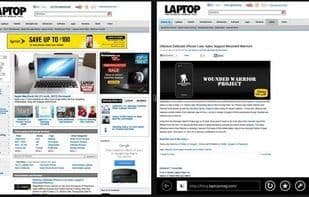

Product Information
What is Splitview?
Splitview supports dual-monitor usage for remote desktops and widescreen displays. It also enables you to use multiple applications simultaneously, making the most of your widescreen or high-resolution monitor.
You don't need to fiddle with windows to move or resize them to fit your desktop. Nor do you have to use Alt-Tab or the taskbar to switch between windows for simple tasks like copy-pasting or comparing documents. Splitview transforms a large single-monitor setup into a multi-monitor system, allowing you to focus on your work rather than window management.
How to use Splitview?
Splitview is software that simulates a multi-display system on a single large or high-resolution screen, enabling dual-display use in remote desktop environments and allowing users to handle multiple apps simultaneously, boosting productivity.
Core Functions of Splitview
Split-screen
Usage Scenarios of Splitview
- Use dual monitors in a remote desktop environment.
- Handle multiple applications simultaneously without frequent window switching.
- Perform document copy-paste or comparison tasks.
- Use multiple monitors via remote desktop on Windows 7 Professional.
- Utilize multi-monitor setups in VMware VDI, Citrix, and Hyper-V environments.
- Maximize windows to specific parts of the screen.
Common Questions about Splitview
What does Splitview do?
How do I use Splitview?
What are the core features of Splitview?
What are the application scenarios for Splitview?


















