




Product Information
What is Staqlab tunnel?
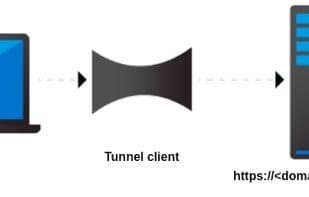
StaqLab Tunnel exposes ports on your local host to the public internet. It provides you with a public URL for servers running on your local PC. Bundled with a powerful GUI session, it can intercept debug requests on the server.
You also have the option to choose your custom domain and share it with colleagues and friends. Static domains allow you to integrate your applications with third-party services such as webhooks and IoT services.
Typical use cases include:
- Debugging your code on your machine
- Showcasing demo work to clients before final deployment
- IoT integration
- Webhook integration
- Local port forwarding
- Remote port forwarding
- Local hosting
- Sharing your work with friends and colleagues
- Intercepting HTTP/HTTPS requests
- Monitoring request rates on LocalPort
- Testing integrations with services that require a public URL, such as Shopify Apps, BrowserSync, Nexmo, Facebook APIs, GitHub, Dropbox, Slack, and more.
How to use Staqlab tunnel?
StaqLab Tunnel is a tool that exposes localhost ports to the public internet, providing a public URL for local servers to facilitate debugging, demos, and integrations.
Core Functions of Staqlab tunnel
Free subdomains
Port Forwarding
SSH tunneling
WebHook integration
HTTPS Support
Unlimited Custom Domains
Usage Scenarios of Staqlab tunnel
- Debug code on a local machine
- Present demo work to clients
- Perform IoT (Internet of Things) integration
- Conduct Webhook integration
- Share work with friends and colleagues
- Test service integrations requiring public URLs, such as Shopify Apps, Facebook APIs, etc.
Common Questions about Staqlab tunnel
What does StaqLab Tunnel do?
How do I use StaqLab Tunnel?
What are the core features of StaqLab Tunnel?
What are the use cases for StaqLab Tunnel?



















