




Product Information
What is Sublime text?
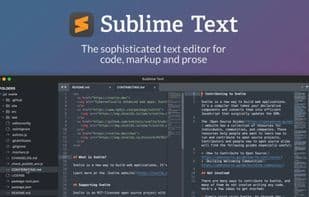
Sublime Text is a sophisticated text editor designed for code, markup, and prose. You'll love its smooth user interface, extraordinary features, and stunning performance.
Easily split panes and navigate between code
With the new multi-select tab feature, tabs become first-class citizens in the interface. A simple modifier while performing an action splits the interface to display multiple tabs at once. Works with the sidebar, tab bar, Goto Anything, and more!
Side-by-side definitions
The definition popup now supports a side-by-side mode via an icon or by holding Ctrl while clicking a link. Goto Definition, Goto Reference, and Goto Symbol in the project also support side-by-side viewing. Explore the full definition, not just a summary in a small popup.
View definitions in autocomplete
When an autocomplete suggestion is a symbol with a definition, clicking the definition link or pressing F12 opens the definition on the right. When focus returns to the original file, the autocomplete window restores to its last state.
Quickly rename variables with multi-selection
Here, Ctrl+D selects the next occurrence of the current word. Ctrl+K, Ctrl+D skips an instance. Once created, each selection supports full-featured editing.
How to use Sublime text?
Sublime Text is a sophisticated text editor for code, markup, and prose. Known for its smooth UI, exceptional features, and impressive performance, it aims to provide an efficient text editing experience.
Core Functions of Sublime text
Lightweight
Customizable
Clean Design
Distraction-free
Support Themes
Extensible via plugins/extensions
Usage Scenarios of Sublime text
- Split-Screen Display and Code Navigation
- View Code Definitions Side by Side
- See Symbol Definitions in Auto-Completion
- Quickly Rename Variables with Multi-Selection
- Edit Code, Markup, and Prose
- Develop on Apple Silicon and Linux ARM64 Devices
Common Questions about Sublime text
What does Sublime Text do?
How do I use Sublime Text?
What are the core features of Sublime Text?
What are the application scenarios of Sublime Text?



















