
Product Information
What is Swish?
Swish is highly praised for its intuitive and seamless window management, with users highlighting its ease of use and transformative impact on workflows. Many appreciate its extensive customization options and the ability to effortlessly manage windows through gestures. However, some users report occasional crashes, compatibility issues with tools like BetterTouchTool, and a lack of support. Despite these concerns, Swish remains a favorite among MacBook users, with many considering it an essential utility for their daily tasks.
How to use Swish?
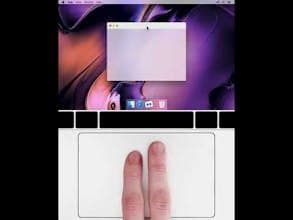
Swish is a window management tool for macOS, using intuitive gestures and shortcuts to help users efficiently manage windows, apps, and screens, significantly enhancing workflow and productivity.
Core Functions of Swish
Complete window, Dock, and menu bar gesture system
Support for Magic Trackpad, Magic Mouse, and keyboard shortcuts
Advanced window snapping (supports 2x2, 3x2, 3x3 grids)
Gesture control for closing, minimizing, and full-screen windows
Quickly move windows across screens and spaces
Resize multiple windows by dragging dividers
Usage Scenarios of Swish
- Efficiently manage multiple application windows on macOS
- Improve window management efficiency in multi-monitor setups
- Quickly perform window operations with gestures, reducing clicks
- Optimize workflows to make daily tasks more convenient
- Customize window management behaviors to fit personal habits
Common Questions about Swish
What does Swish do?
How do I use Swish?
What are the core features of Swish?
What are the application scenarios of Swish?