
Product Information
What is Synwrite?
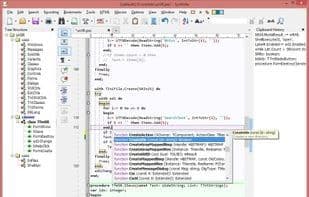
SynWrite is a free source code editor and Notepad replacement for Microsoft Windows operating systems. SynWrite features: syntax highlighting for multiple languages; fully customizable highlighting; code folding; tree structure view of source code; support for almost all encodings; autocompletion; source code templates; clipboard history panel; search and replace using regular expressions and in multiple files; external tools (capturing console output, error navigation); document minimap feature; string extraction feature; Zen Coding (HTML + CSS + XSL high-speed coding engine); customizable hotkeys; bookmarks; keyboard macros; spell checking; Total Commander plugin support; multilingual GUI; integrated HTML Tidy library; portable mode and more...
How to use Synwrite?
Synwrite is a free source code editor designed to replace Notepad in Microsoft Windows, offering powerful code editing and text processing capabilities.
Core Functions of Synwrite
Spell check
Syntax Highlighting
Portable
Tree structure
Usage Scenarios of Synwrite
- Edit source code in various programming languages
- Serve as an enhanced alternative to Windows Notepad
- High-speed coding for web development with HTML, CSS, XSL, etc.
- Perform search and replace operations across multiple files
- Manage copied content with clipboard history
- Extend Editor Functionality with Plugins
Common Questions about Synwrite
What does Synwrite do?
How do I use Synwrite?
What are the core features of Synwrite?
What are the application scenarios for Synwrite?