




Product Information
What is Tcp optimizer?
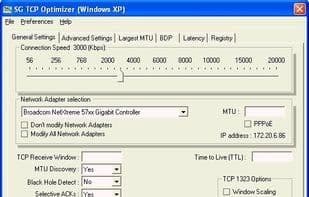
TCP Optimizer is a free Windows program optimizing internet connections via intuitive interface adjustments to TCP/IP parameters like MTU and RWIN. Suitable for all connection types, it includes latency testing and MTU discovery tools.
How to use Tcp optimizer?
TCP Optimizer is a free, user-friendly Windows program offering an intuitive interface to tweak and optimize internet connections by adjusting TCP/IP parameters in the Windows registry, helping users optimize systems based on connection types.
Core Functions of Tcp optimizer
Network Tools
Usage Scenarios of Tcp optimizer
- Adjust and optimize internet connections.
- Modify TCP/IP parameters in the Windows registry.
- Optimize system performance based on internet connection type.
- Adjust TCP/IP parameters such as MTU, RWIN, QoS, and ToS/Diffserv.
- Test the average latency of multiple hosts.
- Find the maximum possible packet size (MTU).
Common Questions about Tcp optimizer
What does TCP Optimizer do?
How do I use TCP Optimizer?
What are the core features of TCP Optimizer?
What are the use cases for TCP Optimizer?



















