




Product Information
What is Textcrawler?
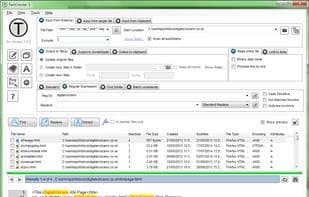
For anyone working with text files, TextCrawler is an excellent tool. This cool utility enables you to instantly find and replace words and phrases across multiple files and folders. It leverages a powerful regular expression engine, allowing you to create complex searches, preview replacements, perform batch operations, extract text from files, and much more. It's fast, easy to use, and packed with features to meet your needs.
Search and replace, insert, or delete text across files
Quick searches, even in large files.
Simple and user-friendly interface
Flexible search parameters
Text Extractor – Extract text into new files
Post-process extracted text – Sort, remove duplicate lines, trim whitespace
Search and replace using regular expressions. Create complex searches.
Regular expression testing tool
Regular expression library – Save your searches.
Create backup files
Full Unicode compatibility – Search ANSI, UTF-8, UTF-16, etc.
Highlighted search results
Export results
Preview replacement functionality
Copy found files to a new location
Batch find and replace
How to use Textcrawler?
TextCrawler is a powerful text processing tool that helps users quickly find and replace text across multiple files and folders, supporting advanced searches and batch operations with regular expressions.
Core Functions of Textcrawler
Multiple files
Usage Scenarios of Textcrawler
- Find and replace specific words or phrases across multiple files.
- Extract desired text content from files.
- Sort, deduplicate, or remove whitespace from extracted text.
- Insert or delete text in bulk.
- Copy found files to a new location.
Common Questions about Textcrawler
What does TextCrawler do?
How do I use TextCrawler?
What are the core features of TextCrawler?
What are the application scenarios for TextCrawler?



















