




Product Information
What is Thunderpad?
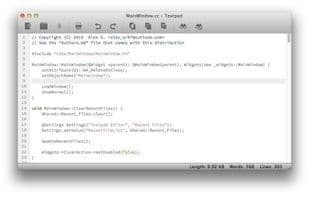
Thunderpad (formerly known as Textpad) is a simple, versatile, cross-platform text editor written in C++ using the Qt library. Its goal is to be faster and lighter than most text editors while remaining just as functional. Additionally, Thunderpad supports syntax highlighting, word and line counting, and comes with various color schemes.
Features:
- Simple and clean interface.
- Multiple color schemes available.
- Distraction-free features (e.g., fullscreen and/or minimalist mode).
- Includes a "minimalist mode" where toolbars and status bars are hidden.
- Supports advanced features like syntax highlighting and line numbers.
- Capable of exporting documents to HTML or PDF.
- Faster performance compared to other text editors.
- Straightforward source code, making life easier for programmers.
- Tested on Linux, Mac, and Windows.
- Deep integration with all supported platforms.
How to use Thunderpad?
Thunderpad is a simple, versatile, and cross-platform text editor designed to offer a faster, lighter, yet equally practical editing experience than most text editors.
Core Functions of Thunderpad
Distraction-Free, Lightweight, Syntax Highlighting
Usage Scenarios of Thunderpad
- Perform Daily Text Editing
- Write code with syntax highlighting
- Count words and lines in documents
- Export documents to HTML or PDF
- Focus on writing in full-screen or minimalist mode
- Use regex for text search and replace
Common Questions about Thunderpad
What does Thunderpad do?
How do I use Thunderpad?
What are the core features of Thunderpad?
What are the application scenarios for Thunderpad?




















