




Product Information
What is Todiagram?
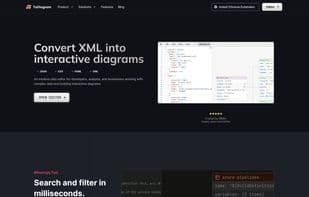
An intuitive data editor designed for developers, analysts, and businesses dealing with complex data and building interactive charts.
Use the ToDiagram search bar to search and filter data in milliseconds. Instantly locate and highlight specific nodes in your chart, filtering by text, type, or relationships.
With the ToDiagram Chrome extension, open and edit JSON, YAML, and other data formats directly from your browser. Select any text on a webpage and visualize it instantly in an interactive chart—no copying and pasting required.
Paste your data. Start working on your chart right away. Quick and simple.
Custom themes. Change colors to match your preferences or brand.
Edit from the diagram. Don’t get lost in complex data. Modify it visually.
Export as an image. Share with your team or embed it in your documents.
How to use Todiagram?
ToDiagram is an intuitive data editor that helps developers, analysts, and businesses handle complex data and build interactive charts, converting formats like JSON, YAML, CSV, and XML into interactive bidirectional charts and tree views.
Core Functions of Todiagram
Customizable, Dark Mode, AI-Powered, Filtering, Cloud-Based
Usage Scenarios of Todiagram
- Developers debug APIs, edit configuration files, and compare differences.
- Analysts dump data into clear visual charts.
- Product and QA personnel can visualize user flows without design tools.
- Designers visualize and edit design tokens.
- Visualize complex logic and navigate deeply nested structures.
- Build custom diagrams for any architecture, workflow, or concept.
Common Questions about Todiagram
What does ToDiagram do?
How do I use ToDiagram?
What are the core features of ToDiagram?
What are the application scenarios of ToDiagram?




















