




Product Information
What is Turbo.net for mac?
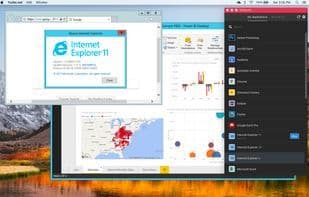
Turbo.net for Mac enables running PC applications on Mac without the need for a virtual machine.
Unlike other Mac VM solutions, Turbo.net is cloud-based. There's no need to run a VM on your Mac or download and install Windows. This allows you to run PC applications without slowing down your computer.
Turbo.net includes thousands of ready-to-use applications, servers, browsers, and plugins.
Applications integrate seamlessly with the Mac desktop. Access local files and the clipboard just like native apps. Turbo.net also supports connecting cloud-based storage services like OneDrive directly to the T: drive within applications.
Even when your Mac is off, you can continue using applications in any HTML5 browser, as well as on iPads and Android tablets.
How to use Turbo.net for mac?
Turbo.net for Mac allows users to run PC applications on Mac without installing a virtual machine, using cloud technology to avoid slowing down the computer.
Core Functions of Turbo.net for mac
Cross-browser testing
Usage Scenarios of Turbo.net for mac
- Run PC applications on Mac without installing a virtual machine
- Seamlessly access local files and clipboard on Mac
- Directly connect cloud storage services like OneDrive to Mac applications
- Run PC applications on Mac via cloud technology without slowing down your computer
- Continue using applications via HTML5 browser, iPad, and Android tablets even when Mac is off
Common Questions about Turbo.net for mac
What does Turbo.net for Mac do?
How do I use Turbo.net for Mac?
What are the core features of Turbo.net for Mac?
What are the use cases for Turbo.net for Mac?



















