




Product Information
What is Vhdattach?
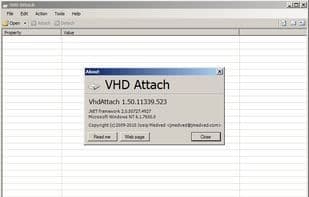
This is a small utility that adds attach and detach options to the context (also known as right-click) menu for virtual disk (VHD) files. This allows these actions to be performed without accessing the Disk Management console. The detach option is also available on the hard drive context menu.
Additionally, the program can be used as a classic utility to view various information about a virtual disk without attaching it.
Please note that this program is only compatible with Windows 7 and Windows Server 2008 R2. Older operating systems are not supported.
How to use Vhdattach?
VHDAttach is a small tool adding 'Attach' and 'Detach' options for virtual disk (VHD) files to the right-click menu, allowing users to perform these actions without accessing the disk management console. It also serves as a utility for viewing various virtual disk details.
Core Functions of Vhdattach
Virtual disk
Usage Scenarios of Vhdattach
- Quickly attach and detach virtual disk files via right-click menu
- Avoid accessing the Disk Management console for virtual disk operations
- Automatically attach virtual disks at system startup, choosing full access or read-only mode
- View virtual disk details without attaching them
Common Questions about Vhdattach
What does VHDAttach do?
How do I use VHDAttach?
What are the core features of VHDAttach?
What are the application scenarios for VHDAttach?


















