




Product Information
What is Vine vnc?
Vine is a VNC solution for Mac OSX, developed by Redstone Software and later acquired by TestPlant. Although TestPlant continued to host documentation and support up to version 4 of the software, the current development of the server component is maintained through a GitHub fork: https://github.com/stweil/OSXvnc
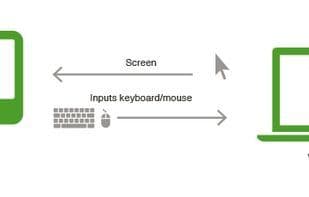
VNC (Virtual Network Computing) is a remote desktop application based on the RFB (Remote Frame Buffer) protocol. It enables you to send keyboard and mouse events to a remote computer and view that computer's screen over a TCP/IP network. VNC is used in various ways, including IT helpdesk support, remote system administration, education, and, of course, test automation! Vine serves as VNC for Mac, functioning both as a VNC Server running on the controlled system and as a VNC Client for remotely controlling the server.
How to use Vine vnc?
Vine VNC is a VNC solution for Mac OSX, serving as a remote desktop application that allows users to remotely control Mac machines over a network.
Core Functions of Vine vnc
VNC Support
VNC viewer
VNC Server
Usage Scenarios of Vine vnc
- IT help desk.
- Remote system administration.
- Education
- Test automation
Common Questions about Vine vnc
What does Vine VNC do?
How do I use Vine VNC?
What are the core features of Vine VNC?
What are the use cases for Vine VNC?



















