




Product Information
What is Virtualbuddy?
VirtualBuddy enables virtualization of macOS 12 and later on Apple Silicon, designed to offer valuable functionality for developers who need to test applications across multiple versions of macOS, especially beta releases.
Requires macOS 12.3 and an Apple Silicon Mac
Warning: This project is experimental. Things may break or not work as intended.
Features
- Capable of booting any version of macOS 12 or macOS 13, including beta releases
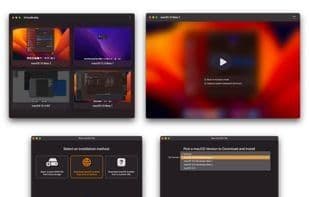
- Built-in installation wizard
- Select from a collection of recovery images available on Apple's servers
- Install the latest stable version of macOS
- Local recovery image IPSW files
- Custom recovery image URL
- Boot into recovery mode (e.g., to disable SIP)
- Network and file sharing support
- Clipboard sharing (without requiring macOS Ventura) (Experimental)
- Edit NVRAM variables
- Customize virtual machine hardware configuration
How to use Virtualbuddy?
VirtualBuddy is a tool for virtualizing macOS 12 and later on Apple Silicon, designed to help developers test applications across different macOS versions, especially beta releases.
Core Functions of Virtualbuddy
Virtualization
Usage Scenarios of Virtualbuddy
- Developers test their apps across multiple macOS versions
- Test applications on macOS beta versions
- Enter recovery mode to disable SIP
- Virtualize any version of macOS 12 or macOS 13
- Customize virtual machine hardware configurations
Common Questions about Virtualbuddy
What does VirtualBuddy do?
How do I use VirtualBuddy?
What are the core features of VirtualBuddy?
What are the application scenarios for VirtualBuddy?



















