




Product Information
What is Visual studio code?
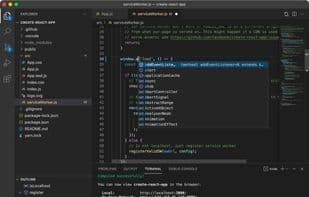
Visual Studio Code is a free and extensible code editor designed for building web, desktop, and mobile applications using any programming language and framework. It features built-in support for Git source control management, robust integration with GitHub, an integrated debugger, and intelligent code completion powered by IntelliSense and AI-driven IntelliCode. With over 30,000 extensions and themes available in the Visual Studio Code Marketplace, you can customize its functionality and appearance to suit your needs, preferences, and style.
You can use Visual Studio Code to develop any type of application for the web, desktop, or mobile platforms. It natively supports JavaScript and TypeScript, while offering coding extensions for languages such as Python, Java, C/C++, C#, Go, Rust, PHP, and more.
Known in the community as VS Code, it is one of the most popular code editors and even has a browser-based version accessible instantly at vscode.dev.
How to use Visual studio code?
Visual Studio Code is a free, extensible code editor for web, desktop, and mobile apps, with Git, debugging, AI-assisted completion, and rich extensions.
Core Functions of Visual studio code
Customizable, Theme Support, Extensible via Plugins/Extensions, Auto-Completion, Built-In Terminal Emulation, Syntax Highlighting
Usage Scenarios of Visual studio code
- Build web, desktop, and mobile applications.
- Code using various programming languages like Python, Java, C/C++, C#, Go, Rust, PHP, and more.
- Leverage AI models (e.g., Claude Sonnet) for assisted development.
- Handle complex, multi-step coding tasks via Agent mode, including code editing, running terminal commands, and responding to compilation/test failures.
- Accept AI-driven next-edit suggestions for intelligent code modification recommendations.
- Customize AI capabilities via extensions or build your own extensions for team-specific scenarios.
Common Questions about Visual studio code
What does Visual Studio Code do?
How do I use Visual Studio Code?
What are the core features of Visual Studio Code?
What are the use cases for Visual Studio Code?



















