




Product Information
What is Visual studio live share?
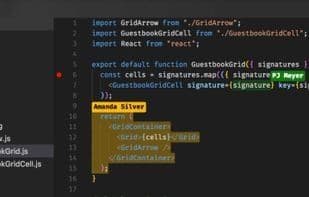
Visual Studio Live Share enables you to collaboratively edit and debug any codebase in real-time with others—each working within their own familiar, personalized environment.
To collaborate effectively, you need to communicate reproduction steps, issues, and ideas. Code snippets or error messages alone don't provide the full picture. When you join a Live Share session, you gain complete multi-file context of the project within your own personalized environment, with themes, key bindings, and customizations intact.
How to use Visual studio live share?
Visual Studio Live Share enables real-time collaborative editing/debugging in personalized environments with full project context.
Core Functions of Visual studio live share
Real-Time Collaboration, Teamwork
Usage Scenarios of Visual studio live share
- Collaboratively edit code in real time.
- Collaboratively debug code in real time.
- Communicate reproduction steps, issues, and ideas during collaboration.
- Access full project multi-file context for collaboration.
Common Questions about Visual studio live share
What does Visual Studio Live Share do?
How do I use Visual Studio Live Share?
What are the core features of Visual Studio Live Share?
What are the use cases for Visual Studio Live Share?



















