




Product Information
What is Vnstat?
vnStat is a console-based network traffic monitor for Linux and BSD, designed to log the network traffic of selected interfaces. It utilizes the network interface statistics provided by the kernel as its data source. This means vnStat does not actually sniff any traffic and ensures minimal usage of system resources. However, it requires at least a 2.2 series kernel on Linux.
How to use Vnstat?
vnStat is a console-based network traffic monitoring tool for Linux and BSD systems. It tracks traffic by recording network interface statistics, characterized by low resource usage and no traffic sniffing.
Core Functions of Vnstat
Statistics
Charts
Network Diagram
Network Statistics
Usage Scenarios of Vnstat
- Monitor network traffic on Linux and BSD systems.
- Log traffic data for selected network interfaces.
- Monitor traffic on multiple network interfaces simultaneously.
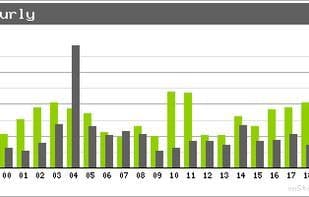
- View traffic statistics for different time periods (e.g., hourly, daily, monthly).
- Generate PNG image reports of network traffic.
- Configure data retention duration and billing cycles.
Common Questions about Vnstat
What does vnStat do?
How do I use vnStat?
What are the core features of vnStat?
What are the use cases for vnStat?



















