




Product Information
What is Void?
Void is an open-source AI code editor positioned as an alternative to Cursor. It is built as a fork of VS Code, allowing users to seamlessly transfer existing themes, keybindings, and settings.
Key features and aspects include:
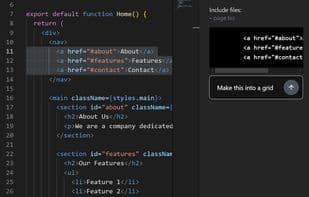
**AI Integration:** Utilize advanced AI tools for coding, featuring capabilities like autocompletion, inline editing, asking questions (including files in prompts), and intelligent search.
**Model Flexibility:** Use any AI model of your choice, with the option to host models locally. Void communicates directly with models, eliminating the need for intermediaries.
**Data Control:** Retain full control over your data.
**Customization:** View and edit the underlying prompts used for AI interactions.
**Performance:** Quickly applies changes even on large files while maintaining context awareness.
How to use Void?
Void is an open-source AI code editor that helps developers write code using advanced AI tools while offering model flexibility and data control. As a VS Code fork, it allows easy migration of existing settings.
Core Functions of Void
Privacy-Focused
No Tracking
AI-Driven
Ad-Free
ChatGPT integration
Available Offline
Usage Scenarios of Void
- Use AI tools for code autocompletion and inline editing.
- Search, create, edit, and delete files and folders via Agent Mode.
- Migrate existing VS Code themes, keybindings, and settings to Void with one click.
- Connect and use various AI models, including locally hosted open-source models or cutting-edge LLMs.
- Quickly apply code changes in large files while maintaining context awareness.
- Read and search file content using Gather Mode.
Common Questions about Void
What does Void do?
How do I use Void?
What are the core features of Void?
What are the use cases for Void?



















