




Product Information
What is Wifi monitor?
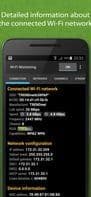
The "Connection" tab displays information about the connected WiFi hotspot:
• Name (SSID) and identifier (BSSID)
• Router manufacturer
• Connection speed
• Router signal strength
• Frequency and channel number
• Hotspot security options
• Smartphone’s MAC address and IP address
• Subnet mask, default gateway, and DNS address.
The "Network" tab allows comparison of all available WiFi networks by the following parameters: type, device manufacturer, signal level, security protocol. Access points with the same name (SSID) are grouped together.
The "Channel" tab shows the signal levels of hotspots based on frequency. WiFi connections provided by routers using the same frequency have poor quality.
The "Strength" graph helps compare the received power levels of available WiFi hotspots and monitor their dynamics. The higher the router's signal strength, the better the wireless connection quality.
The "Speed" graph displays the actual amount of data transmitted and received in the connected network. This helps analyze hotspot usage.
The "Scan" section performs a search for devices within the connected network and displays their parameters. If you detect external devices in the WLAN, block them in the router settings.
How to use Wifi monitor?
WiFi Monitor is an advanced tool for analyzing WiFi status and optimizing connection quality.
Core Functions of Wifi monitor
Network Discovery, Network Scanner
Usage Scenarios of Wifi monitor
- View details of the currently connected Wi-Fi hotspot, such as name, manufacturer, connection speed, and signal strength.
- Compare and analyze all available Wi-Fi networks, including their type, device manufacturer, signal level, and security protocols.
- Assess interference between different Wi-Fi channels to optimize channel selection and avoid disruptions.
- Monitor and compare real-time signal strength changes of Wi-Fi hotspots to understand connection quality.
- Display real-time upload and download speeds of the connected network to analyze hotspot usage.
- Scan devices on the current Wi-Fi network to identify and block unauthorized devices.
Common Questions about Wifi monitor
What does WiFi Monitor do?
How do I use WiFi Monitor?
What are the core functions of WiFi Monitor?
What are the application scenarios of WiFi Monitor?



















