




Product Information
What is Winmerge jp?
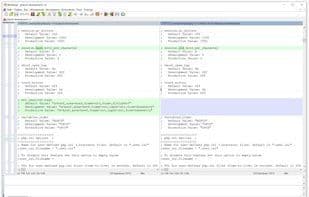
WinMerge JP is a fork of the original WinMerge, incorporating many of its own features, including 3-way comparison, high DPI support, and more. However, the functionalities of WinMerge JP have been integrated back into the original version. Since 2018, it has been nearly identical to the original. Features developed in WinMerge JP include:
Support for 3-way comparison
Image comparison/merging
Enhanced inline diff algorithm
Displaying only differences when selecting diff context menu
Includes improved plugins
Includes frhed and 7-zip plugins
Support for jump lists since Windows 7
Improved drag-and-drop support
How to use Winmerge jp?
WinMerge JP is a file and folder comparison/merge tool, originally a WinMerge fork, offering a more user-friendly interface and enhanced features like three-way comparison and high-DPI support.
Core Functions of Winmerge jp
Portable
Hex viewer
Compare source code
File comparison
High DPI Support
Usage Scenarios of Winmerge jp
- Compare and merge files and folders.
- Serve as an auxiliary tool for GUI CVS or Subversion clients.
- Perform three-way comparisons.
- Compare and merge images.
- View differences in files or code.
Common Questions about Winmerge jp
What does WinMerge JP do?
How do I use WinMerge JP?
What are the core features of WinMerge JP?
What are the use cases for WinMerge JP?



















