




Product Information
What is AI Infographic Generator?
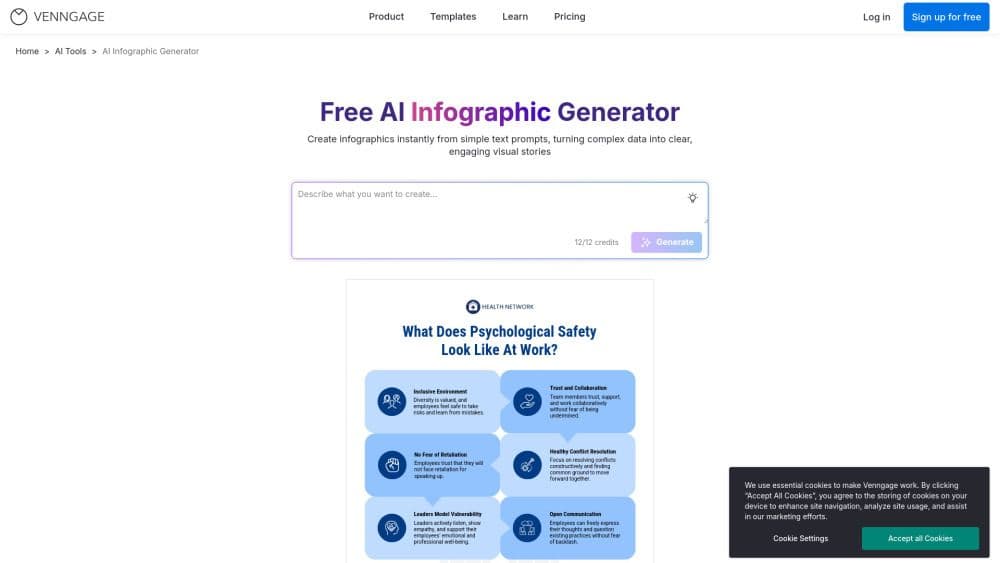
The Venngage AI Infographic Generator assists marketers, educators, and business professionals in transforming complex information into visually appealing, easy-to-understand infographics—with just a few clicks.
Simply enter your topic or prompt, and the AI will generate a customized infographic complete with text, icons, and layout suggestions. Whether you need to explain a process, present data, or visualize a concept, Venngage’s AI saves time and eliminates the guesswork in design.
Designed for non-designers and professionals alike, this tool enables you to create polished infographics without starting from scratch. It generates layouts and content ideas based on your input and allows customization of colors, fonts, icons, and charts using a simple drag-and-drop editor. Choose from various infographic types—including timelines, comparisons, processes, and more—while maintaining brand consistency with built-in branding tools.
No design experience? No problem. Venngage’s AI helps you turn ideas into infographics faster.
How to use AI Infographic Generator?
Enter a prompt
Enter a simple or complex text prompt or idea here (e.g., "Benefits of remote work" or "5-step product launch process").
Let the AI work
Venngage’s AI will instantly generate a suggested infographic layout—including relevant text, icons, and structure.
Customize your design
Use the intuitive drag-and-drop editor to adjust colors, fonts, charts, and visual content to match your brand or message.
Download or share
Export the infographic as an image, PDF, or interactive link for use in reports, presentations, social media posts, or email campaigns.
Core Functions of AI Infographic Generator
AI-driven prompt-to-design generator - Automatically transforms written ideas into visual infographic drafts.
Professional design templates - Choose from infographic formats like timelines, comparisons, statistics, and processes.
Smart content suggestions - AI suggests titles, structures, and relevant visual content based on your prompts.
Drag-and-drop editor - Customize every element easily with no design skills required.
Brand tool integration - Quickly apply brand colors, fonts, and logos to all designs.
Accessibility tools - Built-in contrast checker and alt-text options for creating inclusive content.
Real-time collaboration - Co-edit your infographics with team members or clients in real-time.
Usage Scenarios of AI Infographic Generator
- Marketers: Create visual content to map customer journeys, summarize campaign results, and turn blog content into social media posts.
- Educators and trainers: Simplify complex topics into visual summaries, design engaging handouts, and present lessons in a more memorable way.
- Business teams: Transform reports into clear visual content, illustrate workflows, and improve internal and external presentations.
- Content creators: Turn long-form content into compelling visuals, boost LinkedIn engagement, and design branded newsletter graphics.
Common Questions about AI Infographic Generator
Do I need design experience to use the AI infographic generator?
Can the generated infographics be edited?
What types of infographics can AI generate?
Are there other AI tools available on Venngage?
Can I use the same prompt across different AI tools?




















