




Product Information
What is Briefly?
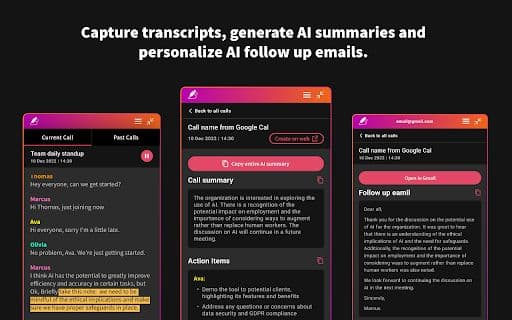
Capture meeting notes, transcriptions, summaries, and insights without distractions.
How to use Briefly?
Install the Chrome extension, log in with Google, start a Google Meet, click 'Start Transcribing This Meeting,' view transcripts and summaries in the Briefly extension, edit follow-up emails, and access the online dashboard.
Core Functions of Briefly
Meeting transcription
Generate comprehensive summaries
Create personalized follow-up messages
Convert transcripts into project documents
Usage Scenarios of Briefly
No usage scenarios available, please contact customer service for details
Common Questions about Briefly
No common questions available, please contact customer service for details



















