
Product Information
What is Dynamic Notes & Memo?
Notes and clipboard history for your Dynamic Island
How to use Dynamic Notes & Memo?
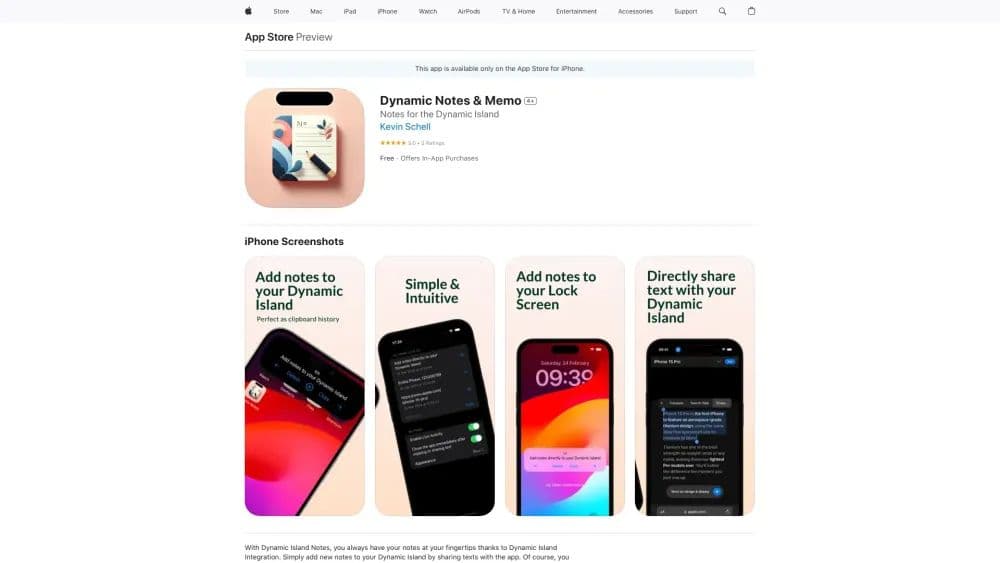
Simply add new notes to your Dynamic Island and copy them for later use. You can switch between notes directly on your iPhone's Dynamic Island.
Core Functions of Dynamic Notes & Memo
Seamless Integration with Dynamic Island and Lock Screen
Multiple Color Schemes
Directly Copy/Delete Notes Within Dynamic Island
User-Friendly Interface Seamlessly Integrated with Your iPhone
Usage Scenarios of Dynamic Notes & Memo
- Organize your daily tasks.
- Create shopping lists.
- Quick note-taking.
Common Questions about Dynamic Notes & Memo
How do I add new notes to my Dynamic Island?
Can I delete my notes directly within the app?
Will the app display notes on the lock screen?