




Product Information
What is LocalVoice?
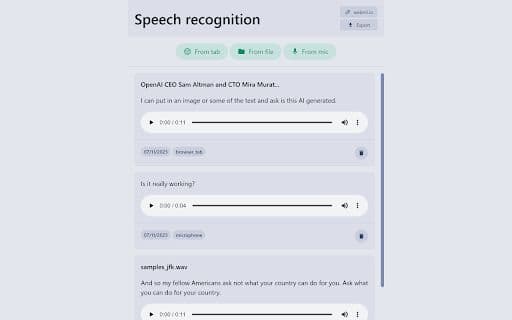
A locally running Chrome extension for speech recognition, eliminating the need to send data to cloud services. Supports speech recognition from files, browser tabs, and microphones, with the capability to export data directly from the extension.
How to use LocalVoice?
Download and install the LocalVoice Chrome extension. Open the extension, select a source (file, browser tab, or microphone), and start voice recognition. Export the recognized text as needed.
Core Functions of LocalVoice
Local speech recognition
Do not send data to the cloud
Support file, browser tab, and microphone input
Data export functionality
Usage Scenarios of LocalVoice
No usage scenarios available, please contact customer service for details
Common Questions about LocalVoice
No common questions available, please contact customer service for details



















