
Product Information
What is Smart Notes AI?
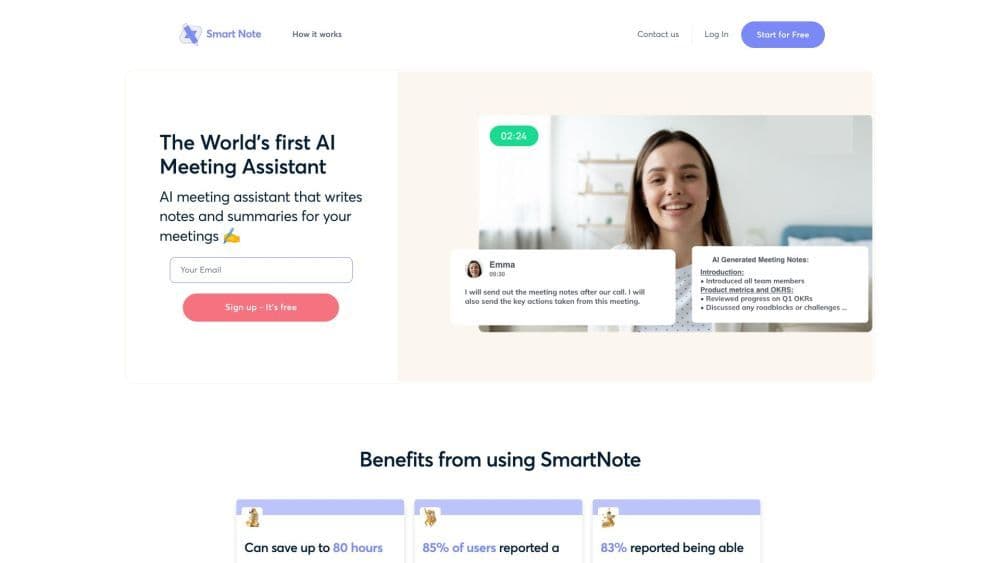
Smart Notes AI is an artificial intelligence-powered meeting transcription and documentation tool that accurately and efficiently transcribes your meetings. It can generate automatic summaries, key points, and action items from meeting audio, helping to streamline post-meeting follow-ups.
How to use Smart Notes AI?
To use Smart Notes AI:
1. Open meetings in Zoom, Teams, or Meet.
2. Go to the Smart Notes dashboard, click Record.
3. AI transcribes meetings and generates brief/detailed summaries.
4. Access prior notes from the same meeting.
5. AI creates agendas and action items.
6. For recurring meetings, preset dates/times.
7. Ask AI questions during meetings for instant answers.
8. Access notes anytime post-meeting.
9. Click Record in recurring meetings to build a centralized note library.
Core Functions of Smart Notes AI
Core features of Smart Notes AI include:
- Automatic meeting transcription
- Generate brief and detailed summary notes
- Identify and suggest key issues during meetings
- Access previous meeting notes
- Automatically generate agendas and key action items
- Instant answers to AI questions
Usage Scenarios of Smart Notes AI
- Smart Notes AI is suitable for the following use cases: - Professionals looking to streamline meetings and boost efficiency - Students wanting detailed class summaries and notes - Anyone who wants to focus on meetings without worrying about missing key details
Common Questions about Smart Notes AI
How does Smart Notes AI work?
Is Smart Notes AI suitable for recurring meetings?
What are the benefits of using Smart Notes AI?
Who can benefit from using Smart Notes AI?
Which organizations are using Smart Notes AI?