
Product Information
What is GRID?
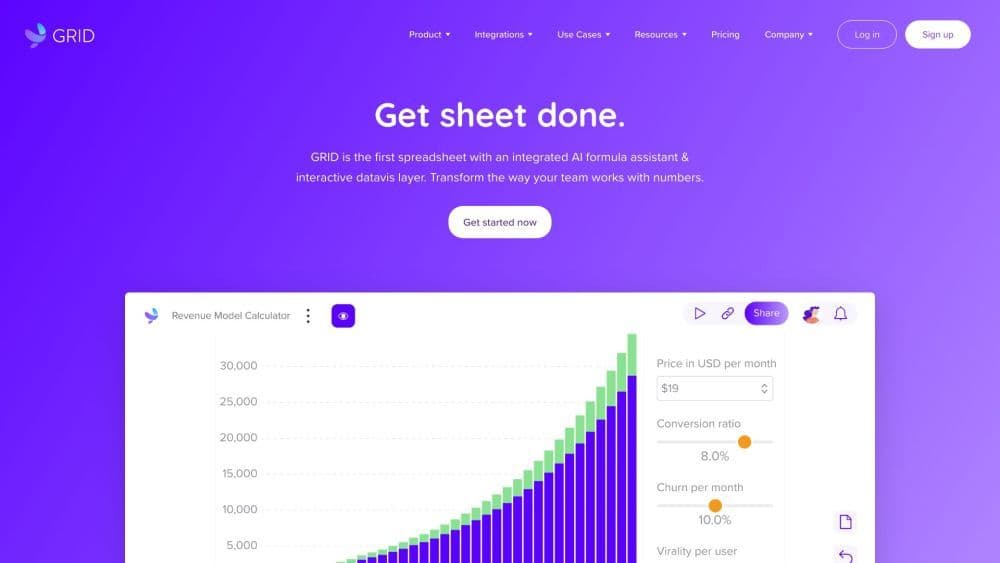
GRID is an intelligent spreadsheet platform that synchronizes and visualizes data with spreadsheets and databases. It offers a familiar spreadsheet interface and supports powerful integrations with Notion and Airtable.
How to use GRID?
To use GRID, first set up or connect a spreadsheet or data source. Then, select the data to visualize and use the built-in spreadsheet editor to add interactivity. GRID lets you combine data from different sources into one chart and embed it in websites or internal wikis.
Core Functions of GRID
Synchronizing and visualizing data with spreadsheets and databases
Built-in spreadsheet editor with familiar formulas
Strong integration with Notion and Airtable
Interactive projections and visualizations
Combining data from different sources into a single chart
Embedding work into websites and internal wikis
AI formula assistant providing instant formula suggestions
Smart chart assistant offering intelligent chart help
Usage Scenarios of GRID
- Building Powerful Business Calculators
- Creating Dynamic Financial Models
- Building Interactive Reports and Dashboards for Marketing and Sales
- Analyzing Campaign Performance and Tracking Key Performance Indicators
- Creating Interactive Financial Reports
- Forecasting and Predicting Revenue
- Presenting Data Beautifully
Common Questions about GRID
What does GRID do?
How do I use GRID?
What are the core features of GRID?
What are some use cases of GRID?