
Product Information
What is Cherry studio?
Cherry Studio is a desktop client that supports multiple LLM providers on Windows, Mac, and Linux.
**Diverse LLM Provider Support:**
- Major LLM cloud services: OpenAI, Gemini, Anthropic, and more
- AI web service integrations: Claude, Perplexity, POE, etc.
- Local model support via LM Studio & Ollama
**AI Assistants & Conversations:**
- Over 300 pre-configured AI assistants
- Custom assistant creation
- Multi-model simultaneous conversations
**Document & Data Processing:**
- Supports text, images, office files, PDFs, and more
- WebDAV file management & backup
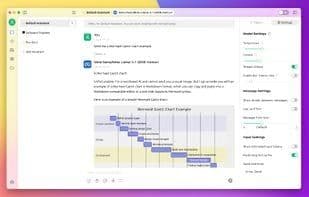
- Mermaid diagram visualization
- Code syntax highlighting
**Utility Integrations:**
- Global search functionality
- Theme management system
- AI-powered translation
- Drag-and-drop sorting
- Mini-schedule support
**Enhanced User Experience:**
- Cross-platform support for Windows, Mac, and Linux
- Ready to use, no environment setup required
- Light/dark themes & transparent windows
- Full markdown rendering
- Easy content sharing
How to use Cherry studio?
Cherry Studio is a desktop client supporting multiple large language model (LLM) providers as an all-in-one AI assistant, integrating diverse AI services, assistants, and utilities to boost work and study efficiency.
Core Functions of Cherry studio
Privacy-Focused, No Tracking, AI Chatbot, ChatGPT Integration, Dark Mode, Ad-Free
Privacy Protection, No Tracking, AI Chatbot, ChatGPT Integration, Dark Mode, Ad-Free
Usage Scenarios of Cherry studio
- An all-in-one app for daily tasks.
- Enhancing work and study efficiency.
- Replacing other LLM apps as the sole AI agent.
- Conducting multi-model simultaneous conversations.
- Handling text, images, Office, PDF documents, and data.
- Using AI for translation
Common Questions about Cherry studio
What does Cherry Studio do?
How do I use Cherry Studio?
What are the core features of Cherry Studio?
What are the application scenarios for Cherry Studio?