




Product Information
What is Doco?
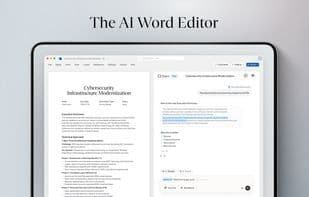
Doco lives within the words. Users can reference any file or folder from their desktop, OneDrive, or SharePoint without switching tabs. Its intelligent library indexes these sources and feeds them to an adaptive drafting engine that understands structure and tone, helping teams produce high-quality content quickly and accurately. It’s like a text cursor—or grammar on steroids.
With reusable workflows, you can automate common writing tasks—such as summarizing client briefs, drafting lesson plans, or rewriting compliance sections. Content is inserted directly into Word, Excel, or PowerPoint with its original formatting intact (including tables, headings, and lists), eliminating the need to reformat AI-generated content. Doco also lets users choose which model to use (including GPT-4O, Claude, or enterprise-grade local models), allowing you to balance speed, cost, and privacy as needed.
For enterprise teams, Doco includes SOC 2 Type II security, SSO/SAML support, and dedicated SLAs, making it safe for use in regulated industries or sensitive environments.
Whether you're writing proposals, strategy memos, or curriculum guides, Doco helps you work smarter—without leaving the tools you already use.
**Key Benefits:**
- Reference any file or folder without leaving your workflow
- Intelligent library + adaptive engine produces tailored, high-quality content
- Output is inserted directly into Word, Excel, or PowerPoint—no reformatting needed
- Run custom, named workflows to automate repetitive writing tasks
- Choose from multiple AI models, including GPT-4O and Claude
- Built for enterprises: SOC 2 Type II, SSO/SAML, dedicated SLAs
Doco transforms everyday writing into structured, precise, and exceptional work—right inside Microsoft Word.
How to use Doco?
Doco is an AI-native writing assistant embedded in Microsoft Word, helping teams generate high-quality content quickly and accurately by referencing local files and smart libraries to enhance writing efficiency.
Core Functions of Doco
Lightweight
Spell check
No Coding Required
Cloud Sync
Ad-Free
AI-Driven
Usage Scenarios of Doco
- Summarize client briefs
- Draft course plans
- Rewrite compliance sections
- Write proposals
- Write policy memos
- Write course guides
Common Questions about Doco
What does Doco do?
How do I use Doco?
What are the core features of Doco?
What are the use cases for Doco?



















