



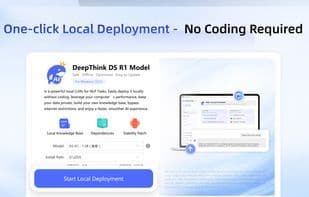

Product Information
What is Ds ai chat?
DS AI Chat is a powerful AI assistant for Windows PC. It includes the latest LLMs (Large Language Models) such as DeepSeek and Qwen. You don’t need any coding skills. Just follow 3 simple steps to install it on your PC and start chatting with AI. The app works offline, so you don’t require an internet connection. You can talk to the AI anytime to ask questions, get summaries, or receive help with work and studies.
We take your privacy seriously. All chats and data are stored on your device—nothing is uploaded to the internet. DS AI Chat is clean, easy to use, and perfect for students, professionals, and anyone who wants to run DeepSeek locally on their desktop.
Why Choose DS AI Chat?
- One-click local deployment—no coding required;
- Easy to use—ideal for beginners;
- Faster AI responses with enhanced local computing;
- A powerful AI assistant for secure, offline chats.
This version is free to use and includes basic features. If you find the app helpful, you can upgrade via optional in-app purchases to unlock the full experience. A lifetime license is available with a one-time payment—no recurring fees.
How to use Ds ai chat?
DS AI Chat is a powerful offline AI assistant designed for Windows PCs, integrating large language models like DeepSeek and Qwen, allowing users to chat securely with AI locally without programming, with all data stored locally.
Core Functions of Ds ai chat
No distractions, lightweight, privacy-focused, no tracking, offline available, ad-free
Usage Scenarios of Ds ai chat
- Ask AI questions
- Get text summaries
- Get help at work
- Get help with learning
- Run DeepSeek models locally on desktop
Common Questions about Ds ai chat
What does DS AI Chat do?
How do I use DS AI Chat?
What are the core features of DS AI Chat?
What are the use cases for DS AI Chat?



















