




Product Information
What is Geminidesk?
GeminiDesk is more than just a wrapper for Google Gemini. It's a command center, packed with features that will make you wonder how you ever managed without them.
🧠 Core AI and Workflow Features
📸 Screenshot Chat: Instantly clip any part of your screen with a hotkey. The image magically appears in your chat, ready for Gemini’s brilliant analysis.
📁 Universal File Drop: Drag and drop images, PDFs, text files—almost any file—directly into the app. It uploads instantly.
⚡ Instant Model Switching: Use a dedicated hotkey to instantly launch a new chat with the lightning-fast Flash model or the powerhouse Pro model.
🔎 Instant Chat Search: Lost a brilliant idea in the abyss of chats? Hit the search hotkey to instantly focus the search bar on your past conversations.
🤝 "Open With" Integration: Set GeminiDesk as the default app for images or text files. Opening a file with the app loads it straight into your chat.
💪 Powerful Window and Session Management
🔄 Session and Window Recovery: Never lose your place again! Enable settings to remember all your open windows and their positions. After a restart, all chats are fully restored.
📌 Multi-Window Madness: Who says you can only have one conversation at a time? Open multiple windows and conquer multiple topics simultaneously.
👀 Always-on-Top Mode: Keep Gemini watching over your shoulder while you work. Perfect for coding, writing, or just feeling less alone.
🖼️ Canvas Mode: Instantly expand the window to a larger, more comfortable size—ideal for deep dives and extensive conversations.
🖥️ Full-Screen and Custom Header: Go big with dedicated full-screen mode. The sleek, draggable header bar even displays your current chat title.
How to use Geminidesk?
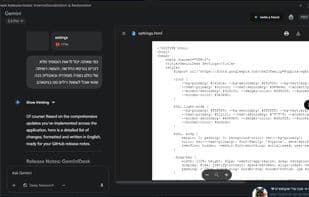
GeminiDesk is an unofficial Google Gemini desktop app, freeing Gemini from browser tabs to offer a feature-rich native desktop experience as an AI command center.
Core Functions of Geminidesk
AI chatbot
AI-Driven
AI writing
Usage Scenarios of Geminidesk
- Use shortcuts or drag-and-drop to send screen content or local files to Google Gemini for analysis.
- Use dedicated shortcuts to instantly switch between Google Gemini's Flash and Pro models or quickly search conversation history.
- Open multiple chat windows simultaneously to handle multiple AI conversation topics at once.
- Keep the GeminiDesk window pinned while coding, writing, or working to have AI assistance readily available.
- Set GeminiDesk as the default opener for image or text files to load them directly into chats.
Common Questions about Geminidesk
What does GeminiDesk do?
How do I use GeminiDesk?
What are the core functionalities of GeminiDesk?
What are the application scenarios for GeminiDesk?



















