




Product Information
What is Kutools for excel?
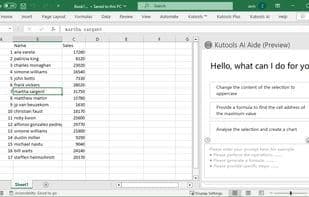
Kutools for Excel is a handy add-in that liberates you from time-consuming operations in Microsoft Excel. Working with Microsoft Excel often involves repetitive tasks, especially when dealing with charts, tables, reports, and more. If you're weary of sifting through numerous blank sheets and cells or frustrated by individually naming workbooks one by one, then Kutools for Excel is exactly what you need. Beyond the standard features of Microsoft Excel, it enhances and introduces more advanced functionalities for ease of use. For instance, you can merge tables and cells with a single click, remove blank cells, and perform batch operations effortlessly within Microsoft Excel. Undoubtedly, the Kutools for Excel add-in is an incredibly convenient tool that saves you both time and effort.
How to use Kutools for excel?
Kutools for Excel is a practical add-in suite for Microsoft Excel designed to help users break free from time-consuming repetitive tasks by enhancing and adding advanced features, thereby saving time and effort.
Core Functions of Kutools for excel
Ad-Free
Excel Add-Ons
Excel integration
Text processing
Charts
Duplicate file finder
Excel plugin
Excel integration
Usage Scenarios of Kutools for excel
- Handle repetitive actions in charts, tables, and reports
- Find large numbers of blank worksheets and cells
- Batch rename multiple workbooks
- Merge tables and cells
- Delete blank cells
- Perform batch operations in Microsoft Excel
Common Questions about Kutools for excel
What does Kutools for Excel do?
How do I use Kutools for Excel?
What are the core features of Kutools for Excel?
What are the use cases for Kutools for Excel?



















