




Product Information
What is LinkedIn Message Assistant?
LinkedIn Message Writing Assistant using a local LLM.
How to use LinkedIn Message Assistant?
1. Install the extension.
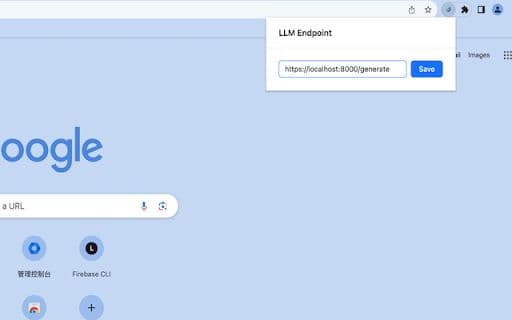
2. Click on the extension icon.
3. Paste your local LLM URL and save.
4. Open the LinkedIn messages page.
5. Enter the message recipient and generate.
Core Functions of LinkedIn Message Assistant
Local LLM Integration
Message Generation Support
Usage Scenarios of LinkedIn Message Assistant
No usage scenarios available, please contact customer service for details
Common Questions about LinkedIn Message Assistant
No common questions available, please contact customer service for details



















