




Product Information
What is Live llm token counter?
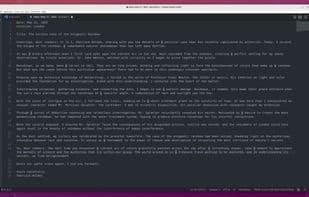
"gpt-token-counter-live" is a Visual Studio Code extension that displays the token count of selected text or the entire open document in the status bar. The token count is determined using GPT and Claude's tokenization methods.
This tool was built to provide quick token count results in VS Code when working with prompt files. Personally, I needed it frequently while working on many LLM projects, so I decided to create my own. I hope it proves helpful to you as well!
Features:
- **Token Count Display**: The extension provides real-time token counts for the currently selected text or the entire document if no text is selected. The count is shown on the right side of the status bar.
- **Automatic Updates**: The token count updates automatically as you edit or select text, ensuring the count is always accurate.
- **Easy Activation**: The extension activates as soon as VS Code starts, so you don’t need to manually enable it every time you launch the editor.
- **Model Selection**: The extension allows you to choose which model to use for token counting. The default model is OpenAI's GPT-4, but all OpenAI and Anthropic models are available. You can change the model by clicking the token count in the status bar and selecting your preferred model.
How to use Live llm token counter?
Live LLM Token Counter is a Visual Studio Code extension that displays the token count of selected text or the entire document in real time in the VS Code status bar, designed to provide quick token counting results when working with large language model (LLM) prompt files.
Core Functions of Live llm token counter
Word Count, OpenAI Integration, VSCode, AI-Driven, Character Count
Usage Scenarios of Live llm token counter
- When working with hint files in VS Code
- During large language model (LLM) project development
- When editing or selecting text in VS Code
Common Questions about Live llm token counter
What does Live LLM Token Counter do?
How do I use Live LLM Token Counter?
What are the core features of Live LLM Token Counter?
What are the application scenarios for Live LLM Token Counter?



















