




Product Information
What is Pixa voice?
We've built an app that offers a fresh and different approach to the above issues:
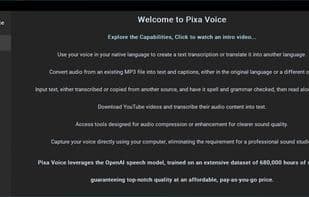
Use your voice in your native language to create text transcriptions or translate them into another language. For example: Speak English with your native accent, use AI for spell-checking, and convert it into a perfect English-accented MP3 file.
Convert audio from existing MP3 files into text and subtitles in the original or another language.
Input text transcribed or copied from another source and have it read aloud by AI.
Use AI to check your text for grammar and syntax or to summarize it.
Apply any custom prompt to your text (e.g., convert my text into all EU languages).
Download YouTube videos and transcribe their audio content into text.
Access tools designed for audio splitting, compression, or enhancement for clearer sound quality.
Keep all project files neatly organized under one folder.
Perform all video and audio creation from a single app. No more juggling multiple software.
Utilize OpenAI's powerful tools.
No more limits on similar cloud services. Use your own resources.
Pay-as-you-go pricing model. No fixed monthly fees.
Enjoy OpenAI's enterprise privacy agreement.
Use a free OpenAI demo account to create real audio and text right away!
How to use Pixa voice?
No usage instructions available, please contact customer service for details
Core Functions of Pixa voice
Dark Mode
Ad-Free
Text-to-Speech
AI-Driven
Usage Scenarios of Pixa voice
No usage scenarios available, please contact customer service for details
Common Questions about Pixa voice
No common questions available, please contact customer service for details



















