




Product Information
What is Talk-with-GPT?
A Chrome extension that allows you to converse with OpenAI's latest language model AI, GPT-3, using voice or text input.
How to use Talk-with-GPT?
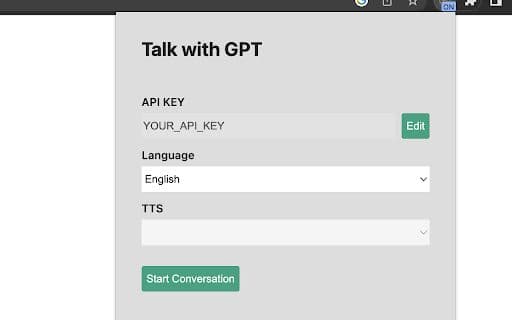
1. Get an OpenAI API key. 2. Open the extension popup. 3. Register the key. 4. Select a language if needed. 5. Click the "Start Conversation" button. 6. Click "Click to Talk" in the dialog to begin.
Core Functions of Talk-with-GPT
Engage in natural conversations with GPT-3
Use voice or text input
Utilize Chrome's text-to-speech and text recognition features
Usage Scenarios of Talk-with-GPT
No usage scenarios available, please contact customer service for details
Common Questions about Talk-with-GPT
No common questions available, please contact customer service for details



















