




Product Information
What is Tmuxai?
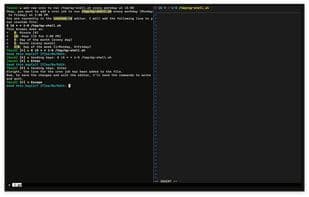
TmuxAI is an intelligent terminal assistant that lives within your TMUX sessions. Unlike other CLI AI tools, TmuxAI observes and understands the content of tmux panes, offering assistance without requiring you to alter your workflow or interrupt your terminal session.
Think of TmuxAI as a pair programmer sitting beside you, viewing your terminal environment exactly as you do. It comprehends your work across multiple panes, helps troubleshoot issues, and executes commands on your behalf in a dedicated execution pane. The design philosophy of TmuxAI mirrors how humans collaborate in a terminal. Just like a colleague sitting next to you, it observes your screen, understands what’s visible, and assists accordingly by:
- **Observing**: Reading visible content across all panes
- **Communicating**: Interacting via a dedicated chat pane
- **Acting**: Executing commands in a separate execution pane (under your permissions)
How to use Tmuxai?
TmuxAI is an intelligent terminal assistant that runs within tmux sessions, providing context-aware assistance by observing and understanding tmux pane content without interrupting workflows. It acts like a pair programmer, monitoring the terminal environment in real-time and offering help.
Core Functions of Tmuxai
Assistant
Usage Scenarios of Tmuxai
- Provide context-aware assistance in tmux sessions to solve problems and execute commands.
- Find large files and free up disk space.
- Launch Docker containers and connect to their internal shells (e.g., MySQL shell).
- Monitor terminal activity and provide improvements or explanations based on specified goals.
- Enhance command tracking with accurate command completion detection and exit code awareness.
- Assist in various text terminal interfaces, including nested shells, SSH connections, database CLIs, and network device shells.
Common Questions about Tmuxai
What does TmuxAI do?
How do I use TmuxAI?
What are the core features of TmuxAI?
What are the use cases for TmuxAI?



















