
Product Information
What is DeckAssistant?
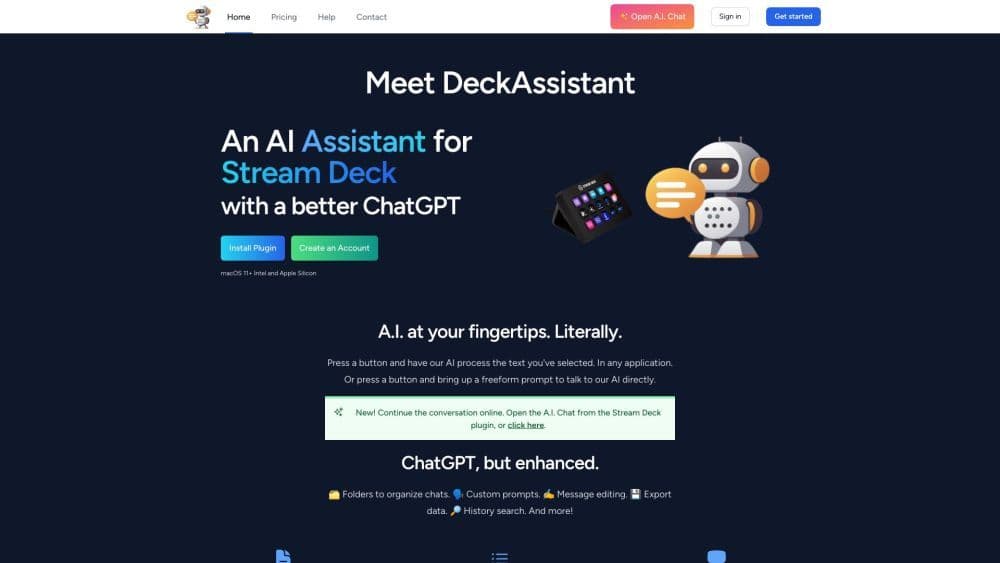
DeckAssistant is an AI assistant for Stream Deck, functioning as a plugin that allows you to directly access artificial intelligence capabilities from your Stream Deck device. It enables you to process selected text with AI or engage in free-form conversations with the AI. By offering features like folders, custom prompts, message editing, and data export, it enhances the ChatGPT experience. You can select any text in any application and have DeckAssistant process it, or use free-form prompts to ask the AI questions.
How to use DeckAssistant?
To use DeckAssistant, follow these steps:
1. Create an account on the DeckAssistant website.
2. Copy the API token from your dashboard.
3. Install the Stream Deck plugin.
4. Add a button to your Stream Deck and paste the API token.
5. Press the button to start using DeckAssistant's AI capabilities. Select text in any application for AI processing or use free-form prompts to converse with the AI.
Core Functions of DeckAssistant
DeckAssistant's core features include:
- Use AI to process selected text in any application
- Free-form prompts to directly converse with AI
- Folders to organize conversations
- Custom prompts
- Message editing
- Data export
- History search
- Favorites
- Screenshots of exported conversations
- Prompt library
Usage Scenarios of DeckAssistant
- DeckAssistant can be used in various scenarios, including: - Correcting spelling and grammar errors through AI conversation - Generating ideas and content through AI conversation - Researching and extracting information from selected text - Assisting with language translation - Quickly answering questions - Automating tasks with AI to boost productivity
Common Questions about DeckAssistant
Can I use DeckAssistant in any application?
Can I have direct conversations with AI via DeckAssistant?
Can I organize my conversations in DeckAssistant?
Can I export data from DeckAssistant?
Is there a prompt library in DeckAssistant?