
Product Information
What is LlamaChat?
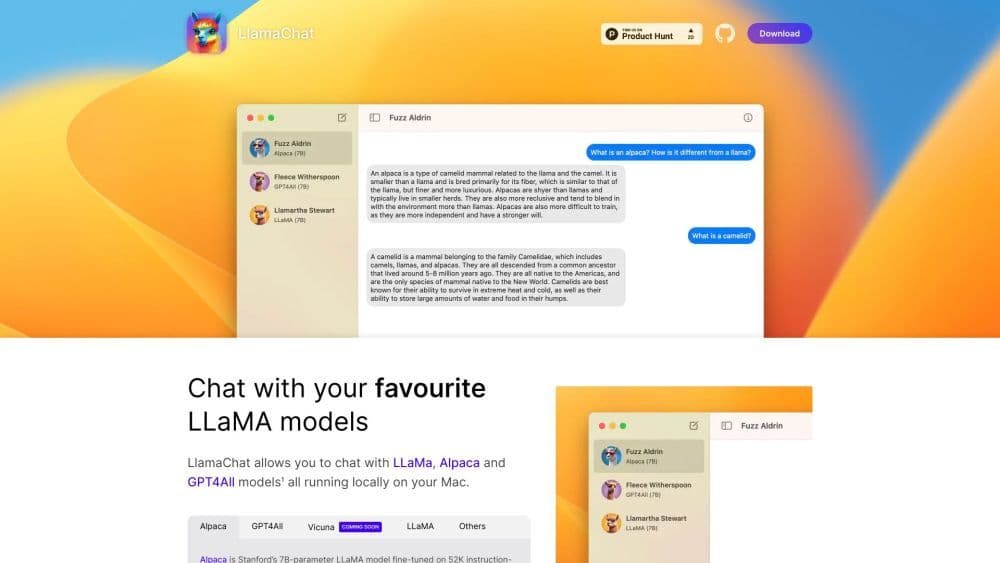
LlamaChat is a chat application that enables users to converse with their favorite LLaMA, Alpaca, and GPT4All models. These models run locally on your Mac, delivering a chatbot-like experience.
How to use LlamaChat?
To use LlamaChat, download version 1.2.0 from the website or install it via Homebrew. Once installed, launch the application and start chatting with LLaMA, Alpaca, and GPT4All models. Simply type your message, and the model will respond accordingly.
Core Functions of LlamaChat
LlamaChat's core features include: 1. Chat with LLaMA, Alpaca, and GPT4All models: Engage in conversations with these models and receive responses based on their capabilities. 2. Local model execution: All models run locally on your Mac, ensuring privacy and offline availability. 3. Easy model conversion: LlamaChat allows you to easily import PyTorch model checkpoints or pre-converted .ggml model files. 4. Open-source: LlamaChat is built on open-source libraries like llama.cpp and llama.swift. It is free and fully open-source. 5. Compatibility: LlamaChat supports both Intel processors and Apple Silicon.
Usage Scenarios of LlamaChat
- LlamaChat can be used for various purposes, including: 1. Chatbot development: Developers can test and fine-tune their chatbot models using LlamaChat's interface. 2. Language learning: Users can engage in conversations to practice and improve their language skills. 3. Entertainment: Have fun conversations with AI models and enjoy interactive exchanges.
Common Questions about LlamaChat
Is LlamaChat free to use?
Is LlamaChat available for Windows or Linux?
Can I use my own AI model in LlamaChat?
Is LlamaChat affiliated with Meta Platforms, Stanford University, or Nomic AI?