
Product Information
What is Black Box?
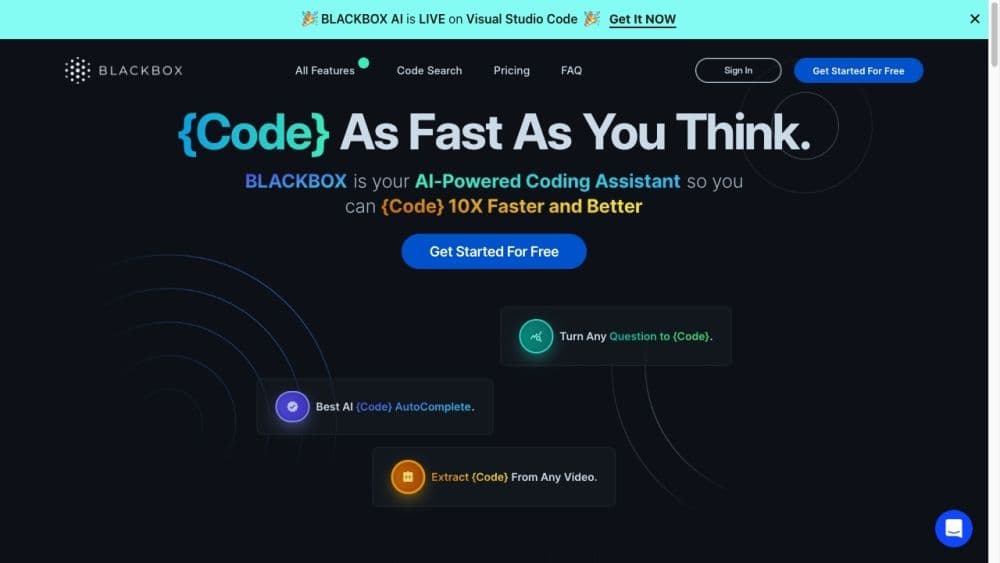
Blackbox is an AI-powered coding assistant designed to help developers write code faster and better. It offers features like code autocompletion, code generation, error optimization, and version tracking.
How to use Black Box?
To use Blackbox, simply log into your account and start coding. You can utilize its autocomplete feature by entering commands that begin with double slashes and pressing enter to view suggestions. You can also leverage its code generation capability by asking natural language queries and receiving code snippets in response. Blackbox also offers version tracking, allowing you to revert to previous code versions when needed. Just make changes to your code, let Blackbox auto-commit them, and take advantage of other powerful features to enhance your coding skills.
Core Functions of Black Box
Code auto-completion
Code Generation
Error optimization
Version tracking
Smart commit messages
Usage Scenarios of Black Box
- Find and use code snippets in various programming languages
- Generate code snippets based on natural language queries
- Optimize code by identifying potential errors and providing suggestions
- Track code versions and easily revert to previous versions
- Automatically generate commit messages for code changes
Common Questions about Black Box
What programming languages does Blackbox support?
How does Blackbox suggest and complete code snippets?
Can I customize the code suggestions provided by Blackbox?
How do I accept or reject code suggestions?
What is Blackbox Diff, and how does it help with code review?
What is the README generator feature in Blackbox?
How does Blackbox AutoCommit work?
Can I use Blackbox from any device?