
Product Information
What is Locus?
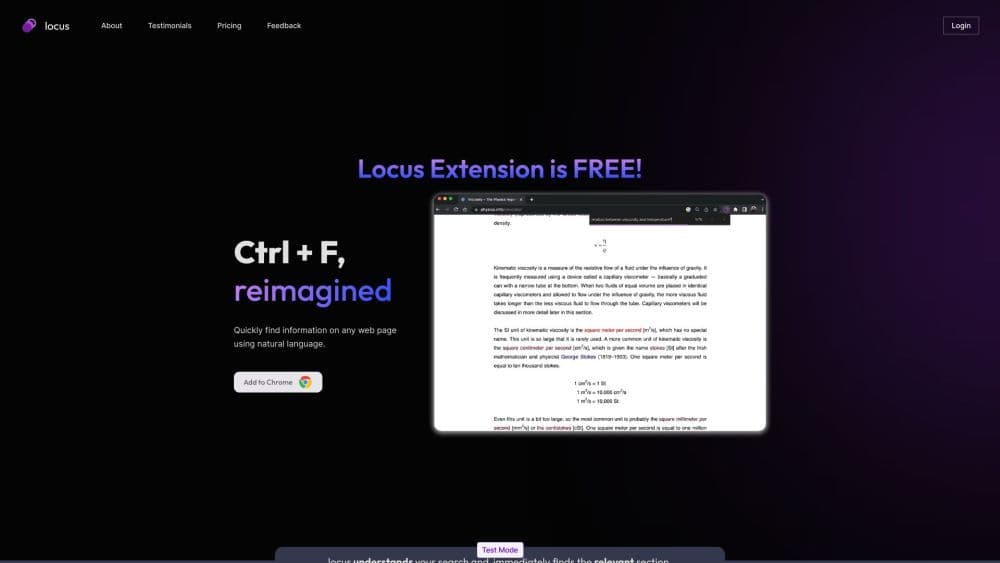
Locus is an intelligent CTRL+F search tool that enables users to quickly find information on any webpage using natural language. By understanding users' search queries and delivering relevant results, it helps them effortlessly locate specific sections within lengthy papers, documents, and articles.
How to use Locus?
With Locus, simply add the Locus extension to your Chrome browser. Once installed, you can activate Locus by pressing Ctrl + F. Unlike the traditional Ctrl + F, Locus understands natural language search queries and instantly locates relevant sections on the webpage. This eliminates the need to remember exact keywords, enhancing your search experience.
Core Functions of Locus
Smart CTRL+F with Natural Language Search
Quickly Find Information on Any Webpage
Reference Sections of Long Papers/Documents/Articles
PDF Search Support Coming Soon
Save Time Understanding Long Content
Usage Scenarios of Locus
No usage scenarios available, please contact customer service for details
Common Questions about Locus
How is Locus different from regular CTRL+F?
Will Locus support PDF search in the future?
Is Locus available for browsers other than Chrome?
How can I provide feedback to Locus?