
Product Information
What is PaletteBrain?
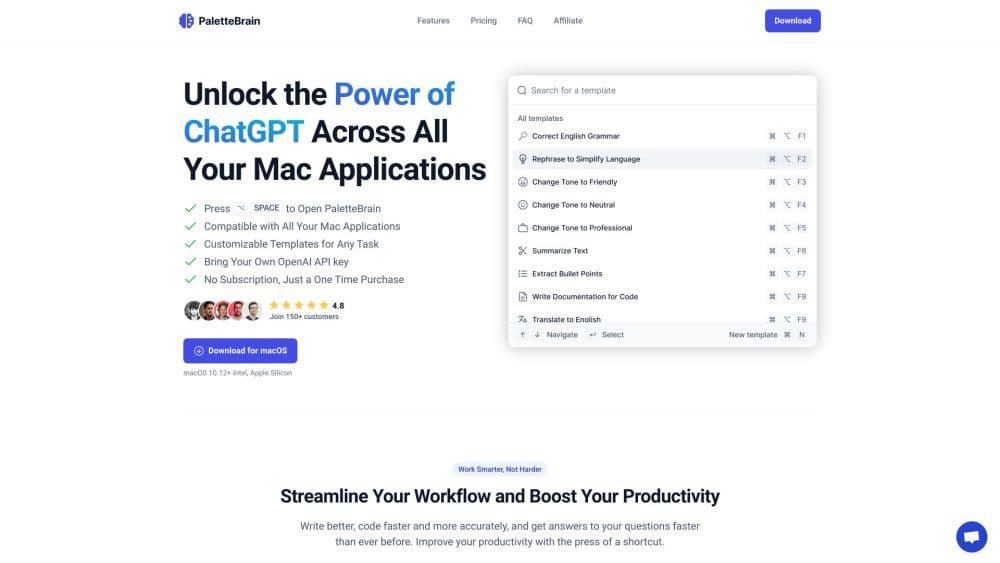
PaletteBrain is a productivity tool designed for Mac users, enabling the powerful capabilities of ChatGPT across all Mac applications. It assists you in writing better, coding faster, and obtaining quick answers to questions through keyboard shortcuts.
How to use PaletteBrain?
To use PaletteBrain, simply press ⌥ SPACE to open the PaletteBrain menu. It is compatible with all your Mac apps. Select text from any application and open PaletteBrain to get a response from ChatGPT. You can customize templates for common tasks and automate operations. Use shortcuts to paste responses back into applications. PaletteBrain integrates seamlessly with your favorite apps without disrupting your existing workflow.
Core Functions of PaletteBrain
Leverage ChatGPT's power across all Mac applications
Customizable templates to automate common operations
No more copy-and-paste hassle
Boost productivity with shortcuts
Simplify workflows and boost productivity
Compatible with macOS 10.12+ Intel and Apple Silicon
Usage Scenarios of PaletteBrain
- Write better and faster
- Code more quickly and accurately
- Quickly get answers to questions
- Automate common operations
- Increase productivity and efficiency
Common Questions about PaletteBrain
Can you explain how PaletteBrain works?
What should I do if my OpenAI API key is invalid?
Is it possible to create custom ChatGPT templates?
What are the prerequisites for using PaletteBrain?
Is PaletteBrain compatible with Windows or Linux?
Is my data protected?
What is the refund policy?