
Product Information
What is PseudoEditor?
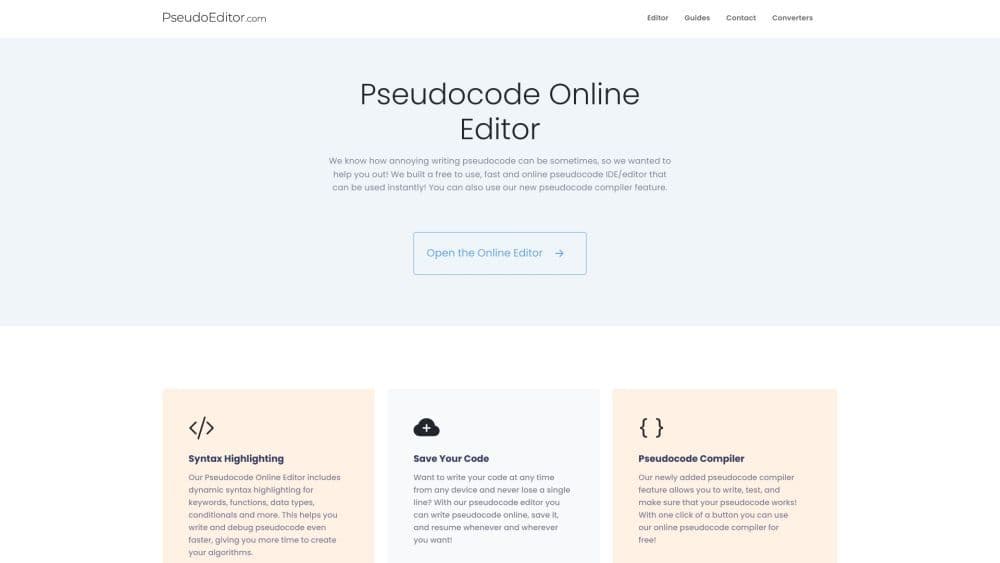
PseudoEditor is a free online pseudocode editor that offers a user-friendly interface for writing and editing pseudocode. It provides features such as syntax highlighting, code saving, error highlighting, and pseudocode compilation.
How to use PseudoEditor?
To use PseudoEditor, simply open the online editor in your browser. Start writing your pseudocode directly in the editor, leveraging features like syntax highlighting for easier debugging. Save your code, resume work on any device, and test functionality with the pseudocode compiler.
Core Functions of PseudoEditor
PseudoEditor includes the following core features:
- Syntax highlighting: The editor highlights keywords, functions, data types, and conditional statements, making it easier to write and debug pseudocode.
- Code saving: You can save pseudocode online and access it from any device, ensuring no code is lost.
- Error highlighting: PseudoEditor can highlight errors in pseudocode, helping you identify and fix code issues.
- Pseudocode compiler: With the pseudocode compiler feature, you can test pseudocode to ensure it works as intended.
Usage Scenarios of PseudoEditor
- PseudoEditor is suitable for various use cases, especially for: - Students learning pseudocode: The editor's user-friendly interface and syntax highlighting make it easier for students to grasp pseudocode concepts. - Programmers and developers: Professionals can quickly draft and debug pseudocode before implementing programming languages. - Algorithm designers: PseudoEditor provides a convenient platform to design and test algorithms in pseudocode before converting them into actual code.
Common Questions about PseudoEditor
What features does the editor include?
Do I need to pay to use this?
Why did you create this?
Is this a pseudocode generator?