
Product Information
What is Raster?
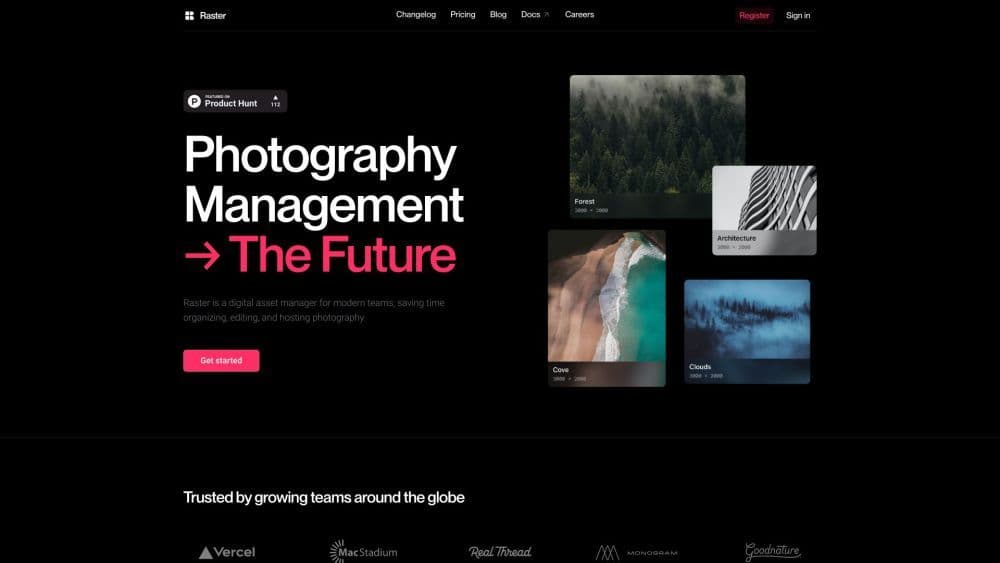
Raster is a digital asset manager (DAM) specifically designed for modern teams, especially marketing teams, photographers, and developers. It enables users to effortlessly organize, edit, and host their photo assets. With intelligent features and elegant design, Raster aims to save teams time and enhance efficiency.
How to use Raster?
To use Raster, simply sign up and log in. Once logged in, you can start uploading your photo assets and let Raster's AI-based organization system automatically tag and categorize them. You can customize tags and create your own organization system. Raster also offers collaborative editing, allowing team members to work on images together. Additionally, Raster provides a unique image URL that remains editable even after sharing. The platform offers a Mac app and Figma plugin for added convenience, aiming to simplify photo management for teams of all sizes.
Core Functions of Raster
AI-based organization with smart tags
Lossless and collaborative editing
Powerful API for integration
Real-time collaboration
Command panel for faster navigation
Built-in CDN, based on AWS and Vercel, for fast image serving
Digital asset hosting and deployment
Beautiful designs
User-friendly Experience
Usage Scenarios of Raster
- Organize and manage photo assets for marketing campaigns
- Simplify editing workflows for photographers
- Collaborative photo editing for design teams
- Efficient photo asset management and hosting for developers
- Streamline workflows for teams working with large volumes of images
Common Questions about Raster
Can I customize labels for organizing my images?
Does Raster offer collaborative editing features?
Can I edit after the image is sent?
Which image formats does Raster support?
Is Raster suitable for small businesses and large organizations?