
Product Information
What is RTutor?
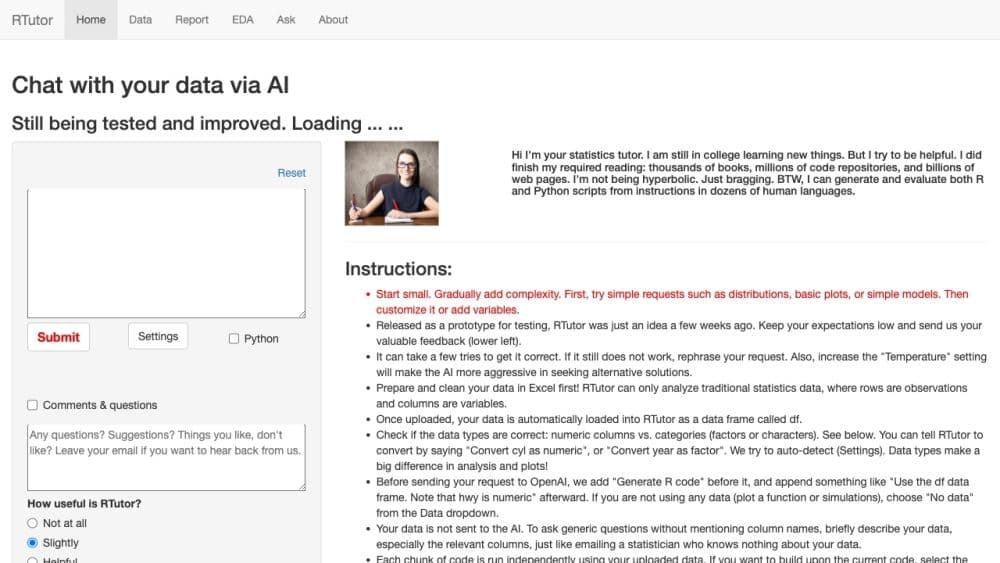
RTutor is an artificial intelligence (AI)-based application that enables users to interact with their data using natural language. It generates R code for data analysis and provides plots and numerical results as output.
How to use RTutor?
When using RTutor, first upload a dataset in CSV, TSV/delimited text, or Excel format. Then, ask questions or make requests about the data in plain English. The AI system generates R code based on these queries, executes it in a Shiny environment to display results. Users can correct and validate the generated code for further analysis.
Core Functions of RTutor
Core features of RTutor include uploading and analyzing datasets, asking data-related questions in natural language, generating R code for analysis and visualization, and providing interactive graphics and numerical results. It also allows users to resume from previous code blocks and logs all code for reproducibility.
Usage Scenarios of RTutor
- RTutor can be used for various purposes such as data exploration, visualization, and basic statistical analysis. It is particularly suitable for users with some R coding experience who want to speed up the coding process and obtain draft code for testing and modification. It can be used by individuals, students, and researchers across various fields.
Common Questions about RTutor
What is RTutor?
How does RTutor work?
Can someone with no R coding experience use RTutor for statistical analysis?
Who is RTutor designed for?
How to ensure the correctness of results generated by RTutor?
Can RTutor be used for R coding assignments?
Can private companies use RTutor?
Can RTutor be run locally?
Why do the same requests yield different results?
What is the cost per session for OpenAI?
Can RTutor replace statisticians or data scientists?
How to effectively write requests to RTutor?
Can R packages be installed in AI-generated code in RTutor?
Can large files be uploaded to the RTutor website?
The server is busy or the website is stuck. What should I do?
Voice input is not working. What could be the issue?
Is the photo on the website yours?