




Product Information
What is Adguard home remote?
AdGuard Home Remote makes managing your AdGuard Home quick and effortless. Swiftly enable/disable blocking features, and view statistics such as top clients and top domains. Manage your clients, filters, DNS rewrites, and much more.
**Control Blocking**
You can quickly toggle filtering and safe browsing/searching on or off. You can even manage specific settings for clients!
**Statistics**
View graphs of queries along with top clients and domains. Search the query log for specific entries, complete with detailed request and response information.
**Manage Settings**
Add or edit clients, introduce new filters or temporarily disable them, update your filters, edit blocked services, configure DHCP and DNS settings, create new DNS rules, or adjust query log settings.
**Live Activities & Interactive Widgets**
Live activities and extensive support for home and lock screen widgets make controlling your AdGuard Home a pleasure—simple and convenient!
**iPhone, iPad, Mac, Watch**
Designed specifically for the best experience on each platform.
==
**Features:**
- Control filtering and safe browsing/searching
- View basic and advanced statistics
- Search and filter query logs
- Real-time logs displaying queries as they happen (Pro required)
- Manage clients, including filter settings, blocked services, and tags (Pro required)
- Manage filters, including block/allow lists and custom filter rules (Pro required)
- Configure DHCP settings, including static leases (Pro required)
- Adjust DNS settings (Pro required)
- Manage DNS rewrites (Pro required)
- Support for multiple instances (Pro required)
- Interactive widgets
- Live activities
- Siri shortcuts
- iCloud sync across iPhone, iPad, and Apple Watch
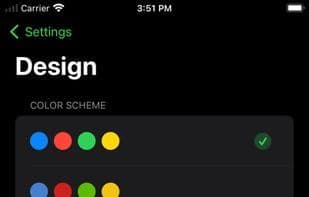
- Customizable color schemes and app icons
- Supports iOS, iPadOS, macOS, and watchOS
- Clean, modern, 100% SwiftUI design
**AdGuard Home Remote Pro:**
A one-time purchase unlocks additional features and supports future development.
==
**Note:** AdGuard Home Remote is a third-party app and is not directly affiliated with AdGuard. For more information about AdGuard Home, visit [https://adguard.com/adguard-home/overview.html](https://adguard.com/adguard-home/overview.html).
How to use Adguard home remote?
AdGuard Home Remote is a third-party application designed to streamline the management of AdGuard Home, enabling users to swiftly control blocking features, view statistics, and manage settings such as clients, filters, and DNS rewrites.
Core Functions of Adguard home remote
Ad-free, API Management
Usage Scenarios of Adguard home remote
- Quickly enable or disable AdGuard Home's blocking features
- View network query statistics, such as top clients and domains
- Manage clients, filters, DNS rewrites, and DHCP settings
- Conveniently control AdGuard Home via live activities and home/lock screen widgets
- Search and view detailed request and response information in the query log
Common Questions about Adguard home remote
What does AdGuard Home Remote do?
How do I use AdGuard Home Remote?
What are the core features of AdGuard Home Remote?
What are the use cases for AdGuard Home Remote?
















