




Product Information
What is Bazzacuda?
Batch processing for images opened in tabs.
Features:
- Includes all the functionalities of the original version.
- Supports multi-byte characters (e.g., Japanese).
- Highly customizable.
Did you know:
- To temporarily change the target folder: Hold the Alt key and call Bazzacuda.
- To save only the left/right tab of the current tab: Hold the Ctrl/Shift key and call Bazzacuda.
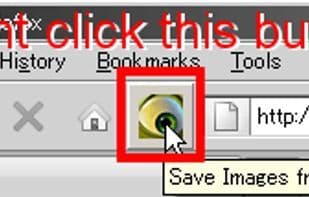
- To save the largest image from the current HTML tab: Press Ctrl+Alt+L or click the blue toolbar button.
(Note: All these keys are customizable.)
How to use Bazzacuda?
Bazzacuda is a browser extension designed primarily for batch-saving images that are already open in tabs.
Core Functions of Bazzacuda
Browser Extension
Image downloader
Browser extension, image downloader
Usage Scenarios of Bazzacuda
- Temporarily change the target folder for saving images.
- Only save images to the left or right of the current tab.
- Save the largest image in the current HTML tab.
Common Questions about Bazzacuda
What does Bazzacuda do?
How do I use Bazzacuda?
What are the core features of Bazzacuda?
What are the application scenarios for Bazzacuda?
















